
Introduction
AI productivity tools are transforming the way people manage daily tasks, organize projects, and improve efficiency. Whether you’re a student handling assignments, a freelancer juggling multiple clients, or a business owner managing operations, artificial intelligence can automate repetitive work and help you focus on what matters most. From writing documents and summarizing meetings to scheduling tasks and organizing workflows, AI-powered solutions are making productivity more accessible than ever.
With hundreds of AI productivity tools available today, beginners often struggle to choose the right one. Each platform offers unique features, including task automation, document generation, collaboration, data analysis, and project management. Understanding how these tools work allows users to select solutions that fit their personal or professional needs without paying for unnecessary features.
This guide covers everything you need to know about AI productivity tools, including what they are, why they matter, how to choose the right platform, their benefits, potential drawbacks, common mistakes, frequently asked questions, and expert recommendations. By following this guide, you’ll be better prepared to use AI to improve efficiency and accomplish more every day.
What Are AI Productivity Tools?
AI productivity tools are software applications that use artificial intelligence to automate tasks, organize information, generate content, improve collaboration, and streamline workflows. These tools analyze user input, recognize patterns, and provide intelligent suggestions that help individuals and teams complete work faster and more accurately.
They are used across many industries for activities such as writing documents, scheduling meetings, managing projects, organizing notes, analyzing data, responding to emails, creating presentations, and automating repetitive administrative tasks. Many AI productivity tools also integrate with existing workplace software, making them easy to include in everyday workflows.
Why Are AI Productivity Tools Important?
AI productivity tools help users reduce time spent on repetitive tasks while improving accuracy and efficiency. Instead of manually completing routine activities, users can automate processes and dedicate more attention to creative thinking, decision-making, and strategic planning.
These tools also improve collaboration by organizing information, simplifying communication, and helping teams stay aligned on projects. As businesses continue adopting digital workflows, AI productivity tools have become valuable resources for increasing efficiency while maintaining consistent work quality.
Step-by-Step Guide to Choosing AI Productivity Tools
Step 1: Identify Your Daily Tasks
Start by reviewing your regular workload. Determine whether you need assistance with writing, scheduling, project management, research, email organization, meeting summaries, or workflow automation.
Understanding your daily responsibilities makes it easier to select software that delivers meaningful improvements.
Step 2: Compare Available Features
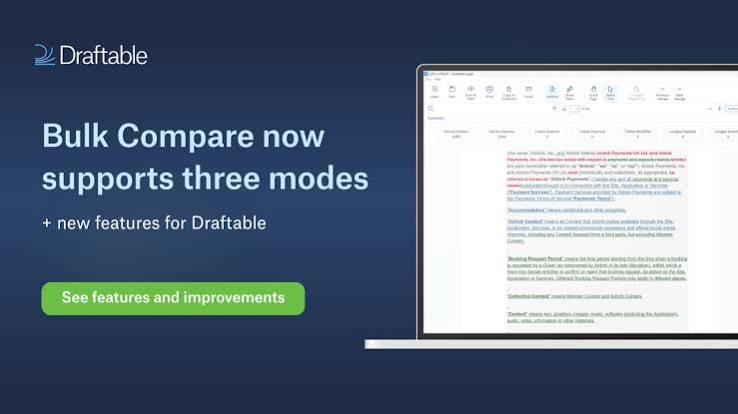
Different productivity platforms specialize in different functions. Compare features such as automation, collaboration, document generation, reminders, integrations, analytics, templates, and cloud access.
Choose tools that provide the capabilities you will actually use rather than selecting software with unnecessary complexity.
Step 3: Prioritize Ease of Use
A simple interface allows beginners to become productive more quickly. Look for platforms with intuitive navigation, onboarding guides, and helpful tutorials.
Easy-to-use software reduces training time and improves long-term adoption.
Step 4: Evaluate Integration Options
The best AI productivity tools work seamlessly with calendars, cloud storage, email services, communication platforms, and project management software.
Strong integrations create smoother workflows and reduce the need to switch between multiple applications.
Step 5: Review Pricing Plans
Many AI productivity tools offer free versions alongside premium subscriptions with advanced features.
Compare available plans carefully to determine whether paid features provide enough value for your specific needs.
Step 6: Consider Security Features
If you work with confidential information, choose software that offers strong encryption, privacy controls, secure cloud storage, and reliable data protection.
Protecting sensitive information should always be a priority when selecting productivity software.
Step 7: Test the Software
Take advantage of free trials or basic plans before making a financial commitment.
Testing different platforms allows you to compare performance, usability, and compatibility with your workflow.
Step 8: Build a Consistent Workflow
After selecting your preferred tools, organize a routine that incorporates automation, scheduling, collaboration, and task management effectively.
Using AI consistently helps maximize productivity while reducing unnecessary manual work.
Benefits of AI Productivity Tools
- Saves valuable time.
- Automates repetitive tasks.
- Improves workplace efficiency.
- Supports better project management.
- Simplifies collaboration.
- Organizes information effectively.
- Helps prioritize important tasks.
- Reduces manual errors.
- Enhances document creation.
- Supports remote and hybrid work.
- Integrates with many business applications.
- Increases overall productivity.
Disadvantages / Risks
- Premium subscriptions may be expensive.
- Some platforms require training.
- Internet access is often necessary.
- AI-generated suggestions may need review.
- Privacy concerns exist for sensitive data.
- Learning advanced features takes time.
- Too many tools can create unnecessary complexity.
- Overdependence may reduce manual problem-solving skills.
Common Mistakes to Avoid
One common mistake is using several productivity tools that perform the same function. This often creates confusion, increases costs, and complicates workflows. Instead, choose a small number of reliable platforms that work well together and meet your primary productivity needs.
Another mistake is relying entirely on automation without reviewing the results. AI can significantly improve efficiency, but important documents, schedules, reports, and communications should always be reviewed for accuracy before being finalized or shared.
Frequently Asked Questions
1. What are AI productivity tools?
AI productivity tools are software applications that use artificial intelligence to automate tasks, organize workflows, improve collaboration, and help users complete work more efficiently.
2. Who should use AI productivity tools?
These tools are suitable for students, freelancers, entrepreneurs, remote workers, business professionals, educators, and organizations looking to improve efficiency and save time.
3. Are AI productivity tools easy to use?
Yes. Most modern platforms are designed with beginner-friendly interfaces, tutorials, and guided features that make them accessible even for first-time users.
4. Can AI productivity tools improve teamwork?
Yes. Many platforms include collaboration features that support file sharing, project tracking, communication, task assignments, and workflow management across teams.
5. Are free AI productivity tools available?
Many providers offer free plans with essential features, while premium versions provide expanded capabilities, increased usage limits, and advanced automation.
6. How do I choose the right AI productivity tool?
Identify your daily tasks, compare software features, evaluate pricing, test free versions, review security standards, and choose a platform that integrates well with your existing workflow.
Expert Tips & Bonus Points
Begin with one productivity tool that solves your biggest challenge before expanding your software collection. Learning a single platform thoroughly often provides better long-term results than switching frequently between multiple applications.
Review your workflow every few months and eliminate unnecessary tools that no longer provide value. Keeping your productivity system simple, organized, and focused on essential tasks allows AI to deliver the greatest benefits while minimizing distractions.
Conclusion
AI productivity tools have become essential resources for individuals and businesses seeking to improve efficiency, reduce repetitive work, and accomplish more in less time. Whether you’re managing projects, creating documents, organizing schedules, or collaborating with a team, these intelligent applications simplify complex workflows while supporting higher-quality results. Choosing the right platform begins with understanding your goals and selecting software that aligns with your daily responsibilities.
Successful use of AI productivity tools depends on thoughtful implementation rather than simply adopting the latest technology. Building consistent workflows, reviewing automated outputs, and selecting reliable software help maximize productivity while maintaining accuracy and control over your work.
By following the guidance in this article, beginners can confidently choose AI productivity tools that support both personal and professional success. With the right combination of automation, organization, and continuous learning, artificial intelligence can become a valuable partner in achieving greater efficiency and long-term productivity.