
Introduction
Building strong customer relationships is essential for every successful business. Whether you operate a startup, an eCommerce store, or a large enterprise, managing customer interactions efficiently can make the difference between long-term growth and missed opportunities. However, handling customer data manually, tracking leads, sending follow-up emails, and managing sales pipelines can quickly become overwhelming as a business grows. These repetitive tasks consume valuable time, increase the risk of human error, and often lead to inconsistent customer experiences.
CRM Automation solves these challenges by automating routine customer relationship management tasks using advanced software and intelligent workflows. Instead of relying on manual processes, businesses can automate lead management, customer communication, sales follow-ups, email campaigns, appointment scheduling, and reporting. This allows sales and marketing teams to focus on building meaningful relationships and closing more deals rather than performing repetitive administrative work.
Modern CRM automation platforms combine automation, artificial intelligence, and data analytics to deliver personalized customer experiences while improving productivity and business efficiency. Organizations across industries use CRM Automation to strengthen customer relationships, improve team collaboration, and increase revenue through smarter sales and marketing strategies.
This guide explains everything you need to know about CRM Automation, including its benefits, features, applications, implementation strategies, and best practices.
What Is CRM Automation?
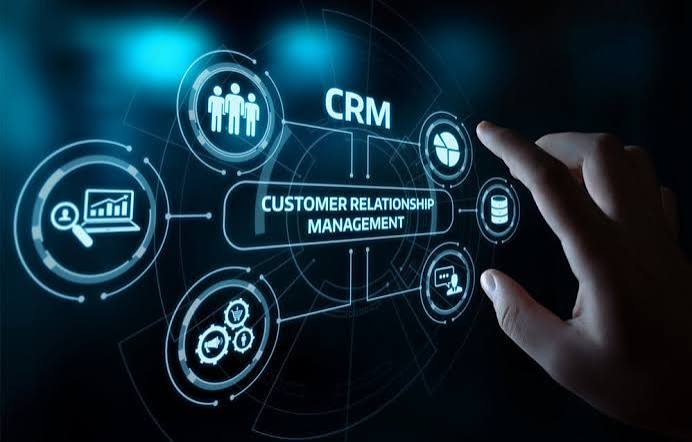
CRM Automation refers to the use of software to automate customer relationship management processes and repetitive sales, marketing, and customer service tasks. CRM stands for Customer Relationship Management, and automation helps businesses manage customer interactions more efficiently by reducing manual work.
Instead of manually updating customer records, assigning leads, sending follow-up emails, or generating reports, CRM automation software performs these tasks automatically based on predefined workflows and business rules.
CRM Automation is commonly used for lead capture, lead scoring, customer segmentation, sales pipeline management, appointment scheduling, email marketing, customer support, reporting, and workflow management.
By automating these activities, businesses can improve accuracy, save time, and provide better customer experiences throughout the entire customer journey.
Why CRM Automation Is Important
As customer databases grow, managing relationships manually becomes increasingly difficult. Sales teams often spend too much time entering data, tracking conversations, scheduling follow-ups, and preparing reports instead of focusing on customer engagement.
CRM Automation helps businesses organize customer information, automate communication, and ensure every lead receives timely attention. It also improves collaboration between sales, marketing, and customer support teams by keeping customer data centralized and always up to date.
Automation enables businesses to respond faster, improve customer satisfaction, and increase conversion rates while reducing administrative workloads.
Benefits of CRM Automation
Improved Lead Management
CRM Automation automatically captures leads from websites, social media, email campaigns, and landing pages. Every lead is stored in the CRM system without requiring manual data entry.
Faster Sales Follow-Ups
Automated reminders, email sequences, and task assignments ensure sales representatives contact leads at the right time, improving the chances of closing deals.
Better Customer Communication
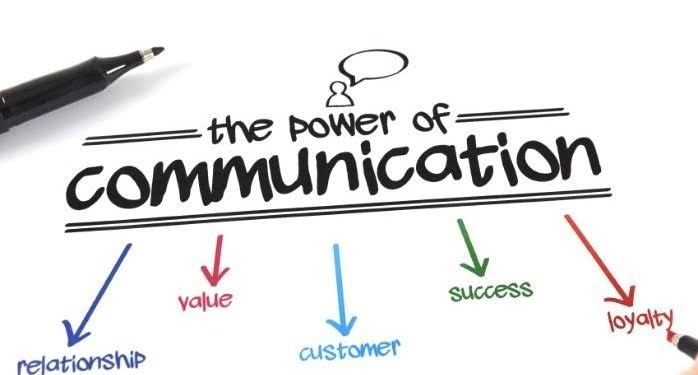
CRM Automation sends personalized emails, appointment reminders, welcome messages, and promotional campaigns automatically, helping businesses maintain consistent communication with customers.
Increased Productivity
By automating repetitive administrative tasks, employees spend more time building customer relationships, solving problems, and generating revenue.
Accurate Customer Data
Automation reduces manual entry errors while keeping customer records updated across departments. Accurate information leads to better decision-making and improved customer service.
Improved Sales Performance
CRM Automation provides real-time insights into sales pipelines, customer interactions, and conversion rates, allowing managers to optimize sales strategies and improve overall performance.
Key Features of CRM Automation
Modern CRM platforms include numerous automation capabilities designed to simplify customer relationship management.
Lead capture automatically collects customer information from multiple sources.
Lead scoring ranks prospects based on their engagement, demographics, and purchasing intent.
Workflow automation manages repetitive tasks such as follow-up emails, reminders, and approvals.
Email automation sends personalized messages based on customer behavior and predefined triggers.
Sales pipeline automation tracks opportunities from initial contact through final conversion.
Task automation assigns responsibilities to team members and sends automatic notifications.
Reporting dashboards provide detailed analytics on sales performance, customer engagement, and marketing campaigns.
CRM integration connects with email platforms, accounting software, marketing tools, customer support systems, and other business applications.
Common Applications of CRM Automation
Businesses use CRM Automation across multiple departments.
Sales teams automate lead management, opportunity tracking, proposal generation, follow-up scheduling, and customer communication.
Marketing departments automate email campaigns, customer segmentation, lead nurturing, campaign analytics, and marketing workflows.
Customer service teams automate support ticket routing, customer feedback collection, chatbot interactions, and follow-up communications.
Human Resources departments use CRM systems for recruitment workflows, candidate management, and employee communication.
Financial teams automate customer billing, payment reminders, invoice tracking, and account management.
Businesses of every size benefit from centralized customer data and automated workflows.
Best CRM Automation Tools
Many businesses rely on professional CRM automation platforms to improve customer management.
Popular CRM Automation tools include:
- HubSpot CRM
- Salesforce
- Zoho CRM
- Pipedrive
- Freshsales
- ActiveCampaign
- Keap
- Monday Sales CRM
- Microsoft Dynamics 365
- Insightly
- Copper CRM
- Nimble CRM
Selecting the right CRM depends on business size, required features, scalability, budget, and integration capabilities.
Best Practices for Implementing CRM Automation
Start by identifying repetitive sales and customer management tasks that consume the most time.
Clean and organize existing customer data before migrating it into a CRM platform.
Create automation workflows that support your existing sales process instead of making it more complicated.
Personalize automated communication whenever possible to maintain authentic customer relationships.
Monitor CRM performance regularly and optimize workflows based on sales data and customer feedback.
Provide employee training to ensure successful CRM adoption across the organization.
Review automation rules periodically to ensure they continue supporting changing business goals.
Common Mistakes to Avoid
Many businesses automate every process without considering customer experience. Excessive automation can make communication feel impersonal.
Other common mistakes include poor data quality, failing to train employees, ignoring CRM analytics, neglecting follow-up opportunities, and choosing software that doesn’t integrate with existing business systems.
Successful CRM Automation balances automation with personalized human interaction.
Future of CRM Automation
The future of CRM Automation is driven by Artificial Intelligence, predictive analytics, conversational AI, and intelligent customer insights. Future CRM platforms will automatically predict customer behavior, recommend sales actions, personalize customer experiences, and identify high-value opportunities before competitors.
Businesses will increasingly integrate CRM systems with AI assistants, marketing automation, customer support platforms, and business intelligence tools to create fully connected customer experiences.
Organizations that adopt advanced CRM Automation today will strengthen customer relationships while improving long-term business growth.
Frequently Asked Questions
What is CRM Automation?
CRM Automation uses software to automate customer relationship management tasks such as lead tracking, follow-up emails, customer communication, and sales pipeline management.
Why is CRM Automation important?
It improves productivity, reduces manual work, increases sales efficiency, strengthens customer relationships, and helps businesses provide better customer experiences.
Can small businesses use CRM Automation?
Yes. Small businesses can automate lead management, customer communication, appointment scheduling, and email marketing to save time and improve sales performance.
Which industries benefit from CRM Automation?
Retail, healthcare, finance, education, real estate, manufacturing, SaaS, marketing agencies, eCommerce, consulting, and professional services all benefit from CRM Automation.
Conclusion
CRM Automation has become an essential solution for businesses that want to improve customer relationships, increase sales productivity, and streamline daily operations. By automating repetitive tasks such as lead management, follow-up communication, reporting, and customer engagement, organizations can focus on delivering exceptional customer experiences while growing revenue. Whether you’re managing a small business or a global enterprise, CRM Automation helps create more efficient workflows, stronger customer connections, and sustainable long-term success in today’s competitive marketplace.