
Introduction
In today’s fast-paced business environment, organizations are constantly searching for ways to improve efficiency, reduce operational costs, and increase productivity. Many businesses still rely on manual processes for repetitive tasks such as data entry, approvals, email notifications, document management, and customer follow-ups. These repetitive activities consume valuable time, increase the risk of human error, and slow down business growth.
This is where Workflow Automation becomes a game-changing solution. Workflow Automation enables businesses to automate repetitive tasks and create structured processes that operate with minimal human intervention. Instead of manually managing every step of a workflow, automation software performs routine tasks automatically based on predefined rules and triggers.
Whether you’re running a small business, a growing startup, or a large enterprise, Workflow Automation helps streamline daily operations, improve collaboration, increase accuracy, and free employees to focus on higher-value work. By eliminating unnecessary manual work, organizations can deliver faster services, improve customer satisfaction, and scale their operations more efficiently.
This comprehensive guide explores Workflow Automation, its benefits, essential features, practical applications, popular tools, implementation strategies, and future trends that are transforming modern businesses.
What Is Workflow Automation?
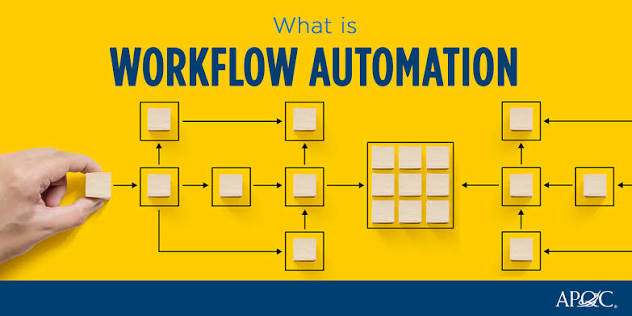
Workflow Automation is the process of using software and technology to automate repetitive business tasks and workflows. Instead of relying on employees to manually complete every step, automation systems perform tasks automatically according to predefined rules and conditions.
A workflow consists of a sequence of activities required to complete a business process. Automation ensures these activities happen consistently, accurately, and efficiently without unnecessary delays.
Common workflow automation tasks include:
- Employee onboarding
- Invoice processing
- Email notifications
- Document approvals
- Customer support ticket routing
- Marketing campaign automation
- Sales follow-ups
- CRM updates
- Inventory management
- Project task assignments
By automating these processes, businesses reduce manual effort while improving speed and consistency.
Why Workflow Automation Matters
Modern businesses manage hundreds of repetitive tasks every day. Manual processes often lead to delays, communication gaps, duplicate work, and costly errors.
Workflow Automation solves these challenges by creating standardized processes that operate automatically.
Key reasons why businesses adopt Workflow Automation include:
- Faster task completion
- Reduced operational costs
- Improved team collaboration
- Better compliance
- Fewer human errors
- Higher employee productivity
- Improved customer satisfaction
Automation allows employees to focus on strategic work rather than repetitive administrative tasks.
Benefits of Workflow Automation
1. Increased Productivity

Employees spend less time performing repetitive tasks and more time working on projects that require creativity, decision-making, and problem-solving.
Automation significantly improves overall workplace productivity.
2. Reduced Human Errors
Manual data entry and repetitive tasks often result in mistakes.
Workflow Automation ensures processes follow predefined rules, reducing errors and improving data accuracy.
3. Faster Business Operations
Automated workflows complete tasks instantly without waiting for manual intervention.
This improves turnaround time for approvals, customer requests, invoices, and internal operations.
4. Better Team Collaboration
Automation keeps everyone informed through automatic notifications, task assignments, and progress tracking.
Teams work more efficiently with clear responsibilities and improved communication.
5. Lower Operating Costs
By reducing manual work, businesses save money on labor, minimize costly mistakes, and improve resource utilization.
Automation provides long-term cost savings while increasing efficiency.
6. Improved Customer Experience
Customers receive faster responses, quicker issue resolution, and more consistent service when workflows are automated.
Happy customers are more likely to remain loyal and recommend your business.
How Workflow Automation Works
Workflow Automation follows a simple process:
Trigger
A workflow begins when a specific event occurs, such as receiving an online form submission or customer inquiry.
Processing
The automation system evaluates predefined rules and determines the required actions.
Task Execution
The software performs actions automatically, such as sending emails, updating records, assigning tasks, or generating documents.
Notifications
Relevant employees receive automatic updates and reminders.
Completion
The workflow ends after all predefined actions are completed successfully.
Common Applications of Workflow Automation
Businesses use Workflow Automation across various departments.
Popular applications include:
- Human Resources (HR)
- Finance and Accounting
- Sales Management
- Marketing Campaigns
- Customer Support
- IT Help Desk
- Procurement
- Inventory Management
- Healthcare Administration
- Project Management
Automation improves efficiency in almost every business function.
Best Workflow Automation Tools
Several powerful platforms help businesses automate workflows.
Popular tools include:
- Zapier
- Microsoft Power Automate
- Make (formerly Integromat)
- Monday.com
- Asana
- ClickUp
- Trello Automation
- HubSpot Workflows
- Airtable Automations
- Notion AI
Choose a tool that integrates with your existing software and supports your business needs.
Best Practices for Workflow Automation
To achieve the best results:
- Identify repetitive tasks suitable for automation.
- Map your existing workflows before automating them.
- Keep workflows simple and easy to manage.
- Test automations before deployment.
- Monitor workflow performance regularly.
- Update workflows as business needs change.
- Train employees on automation tools.
- Combine automation with human oversight where necessary.
Following these practices ensures smoother implementation and better long-term performance.
Common Mistakes to Avoid
Businesses should avoid:
- Automating inefficient processes
- Creating overly complex workflows
- Ignoring employee feedback
- Failing to monitor performance
- Not documenting workflow changes
- Choosing tools that don’t integrate with existing systems
Automation should simplify operations, not make them more complicated.
Future of Workflow Automation
The future of Workflow Automation is driven by Artificial Intelligence, machine learning, robotic process automation (RPA), and intelligent decision-making systems.
Businesses will increasingly use AI to automate complex workflows, predict bottlenecks, optimize resource allocation, and improve customer experiences.
Cloud-based automation platforms will continue making advanced workflow solutions accessible to businesses of all sizes.
Frequently Asked Questions
What is Workflow Automation?
Workflow Automation uses software to automate repetitive business processes, reducing manual work and improving efficiency.
Why is Workflow Automation important?
It saves time, reduces errors, improves productivity, lowers costs, and helps businesses operate more efficiently.
Can small businesses benefit from Workflow Automation?
Yes. Small businesses can automate repetitive tasks, improve customer service, and increase productivity without hiring additional staff.
Which industries use Workflow Automation?
Healthcare, finance, education, retail, manufacturing, logistics, IT, marketing, real estate, and eCommerce all benefit from Workflow Automation.
Conclusion
Workflow Automation is transforming the way modern businesses operate by replacing repetitive manual tasks with intelligent automated processes. It improves productivity, reduces errors, enhances collaboration, and allows organizations to focus on strategic growth instead of routine administration. Whether you’re automating marketing campaigns, employee onboarding, financial approvals, or customer support, Workflow Automation delivers measurable improvements in efficiency and performance. Businesses that invest in automation today will be better prepared to compete, scale operations, and achieve sustainable success in the future.